About
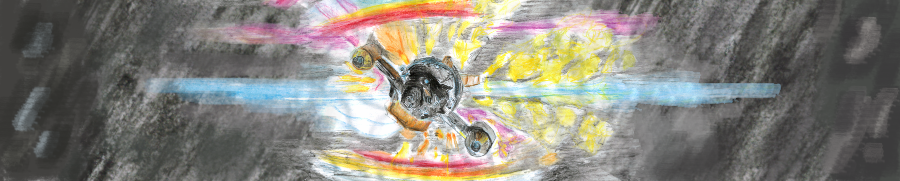
I’m known online as al2f, as well as al0f and al1f. I’m a free/libre software advocate and game developer, and write programs for fun. I often get distracted by the Godot Game Engine, so I do not have (m)any non-game software projects released. From time to time I draw or play the piano. The banner image is of a Firefly 03-K64.
Thoughts
Dislikes:
Error: An unexpected error occured- 404 pages which redirect to the websites home page
- Lack of borders on UI elements
Likes:
- GDScript
- Music
- Drawing
Defaults aren’t the only option - This applies to public opinion and many other areas, not just computers. Simply because a program comes pre-installed does not mean that you have to use it. Take a look at other programs that offer similar features. Explore, and have fun!
When writing programs, keep them simple. With many simple programs that do one thing well, you can chain different programs with a script to perform a specific task quite quickly. This idea also allows for interchangeable programs1
Profiles
- Codeberg: Where most of my repositories are stored. Codeberg provides code hosting for free and open source projects. Read more about free software here
- GitHub: I only use GitHub to interact with projects that are hosted there.
- Discord: No Way!
Contact
- Matrix
- email (al0f at the site this link points to)
License
The articles I(al2f) write on the website(https://al2f.codeberg.page) and artworks I post are licensed under the Creative Commons license unless otherwise stated. You are free to share, use and change the art and articles as long as you provide attribution and indicate which changes were made. The attribution or sharing must not imply that the author(s) endorse you or your use.
The two exceptions to this are NFTs and training of neural networks. Do not use my art or articles in NFTs or use them to train neural networks, as this infringes my moral rights.
For a guide to the Creative Commons license, please see the following page on the creative commons website.
-
Say we want to take a screenshot of the screen, and copy the found text to the clipboard. The 3 tasks here are
Taking a Screenshot, performingOptical Character Recognitionon the screenshot, and copying the result to theClipboard. The programs use could bescrot,gocrandxsel. However, the could just as well bexfce4-screenshooter,tesseract-ocrandclip. It does not make much of a difference, as long as you can connect the output of one program to the input of another. ↩︎


